
To fix incorrect business information in AI answers, save the exact error, inspect the cited sources, correct the pages and profiles you control, and request updates from other publishers where necessary. Then check whether search engines have discovered the changes and repeat the original questions. Treat the source correction and the answer correction as separate results.
Suppose a prospect asks whether your software supports an integration. The assistant says it does not, even though you launched it six months ago. Or it quotes a retired price that would rule you out before the prospect reaches your website.
You need to know where that claim appears and what you can change. OpenAI acknowledges that ChatGPT search results and citations can be outdated or incorrect, and advises checking the linked sources. That makes source inspection a useful place to start. [1]
Identify what is wrong before changing your website
Write down the disputed claim and the evidence that establishes the correct information. Be precise about dates and scope. A price can be accurate for an annual plan and wrong for a monthly one. A company can serve a market without having an office there.
Open every citation attached to the claim. Does the page actually support it? Does it describe your company, a similarly named business, an old product, or a previous offer?
Use the following table to choose the next investigation. These are diagnostic possibilities, not conclusions about an assistant's internal reasoning.
| What you observe | What to check next | First useful action |
|---|---|---|
| Your website still states the old fact | Other pages, downloads, metadata, and structured data repeating it | Correct the current information and its duplicate appearances |
| A cited directory has outdated information | Whether you can manage the listing or request an update | Submit the precise replacement with a supporting URL |
| The linked page is correct but the answer is wrong | Whether the citation supports that sentence at all | Save the mismatch and test the question again |
| The answer describes another company | Names, domains, locations, and products that distinguish the businesses | Clarify identity on relevant company pages and profiles |
| A search result shows words removed from the live page | Whether the result is showing an outdated snippet | Use the appropriate refresh or recrawl process |
A matching error on a cited page is evidence of a source problem worth fixing. It does not prove that page was the sole cause of the answer.
Save a baseline you can compare later
Keep the question, complete answer, cited URLs, date, assistant, and available model or mode label. Record whether web search was used and any relevant location or account settings. OpenAI documents that location and saved memories can affect search queries. [1]
For an initial check, select a few questions a prospect might actually ask:
- What does [Company] do, and whom does it serve?
- Does [Product] support [Integration]?
- What does [Company] charge for [Specific service or plan]?
- Does [Company] serve customers in [Market]?
Repeat important questions and retain all the answers. Decide the repetitions before testing so you do not stop when a favorable answer appears. Keep branded fact checks separate from questions asking for a shortlist of suppliers.
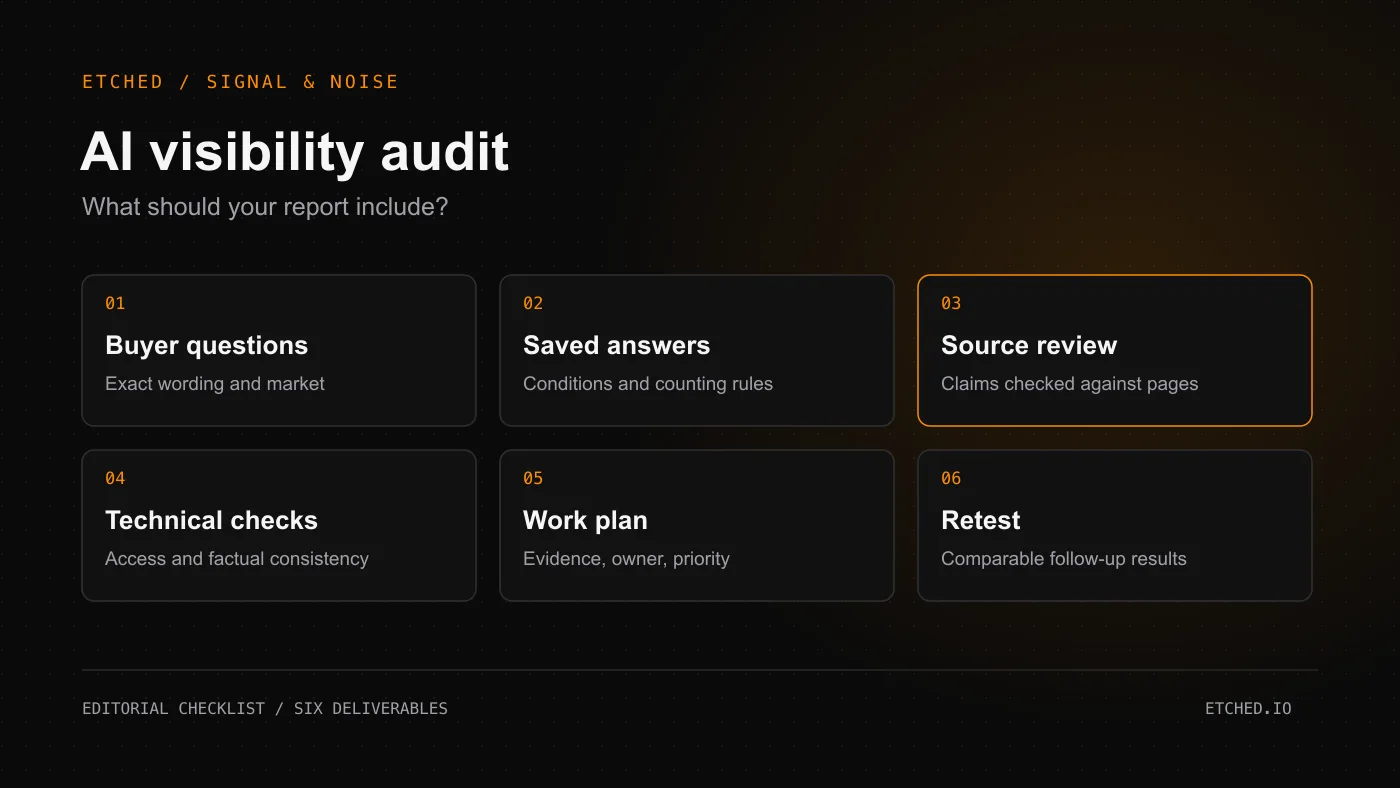
If you supply the corrected fact or a preferred source in a follow-up, label that as an assisted check. Use the original wording again when measuring whether an unfamiliar prospect could receive a better answer. Our AI visibility audit guide explains what a documented baseline should include.
Correct the pages buyers need
Put the current fact where a customer would expect to find it. Pricing belongs on the relevant pricing page. Integration support belongs in product documentation. Service coverage belongs on a service or location page.
Explain qualifications that change the answer. An integration available only on one plan should say so. A remote service should distinguish where customers can receive it from where the company has premises.
Search your own site for the outdated wording. Check PDFs, older comparison pages, FAQs, page descriptions, and markup produced by templates or plugins. Fix conflicting current claims while preserving the meaning of historical material. An old announcement can remain accurate about its publication date; a visible update can point readers to today's terms.
When reviewing technical access, use the rules for the product involved:
- ChatGPT search: OpenAI uses OAI-SearchBot for search. Its controls are independent of GPTBot, which concerns potential training use. Check robots.txt and whether your host or content delivery network admits requests from OpenAI's published searchbot IP ranges. [2]
- Google AI Overviews and AI Mode: Google's guidance requires a page to be indexed and eligible for a search snippet to appear as a supporting link. It also recommends accessible text and useful internal links. [3]
Verify the affected URL after a fix. A successful retrieval establishes access; later answer tests establish whether the corrected fact appears.
Align structured data and business profiles
Review machine-readable company details alongside the visible text. Google's Organization documentation says the markup can help it understand administrative details and distinguish organizations. It documents fields such as the organization's URL and links to relevant profiles through sameAs. [4]
Use actual company details and profiles belonging to that company. Check for old values emitted by plugins even when the page looks correct. Our schema markup guide covers that implementation review.
Google says no special schema is needed for its AI search features and that markup should match visible content. Schema validation is therefore an implementation check, not confirmation that an AI answer has been corrected. [3]
For businesses with a Google Business Profile, review the address, hours, contact information, and other relevant fields there too. Google documents editing a managed profile through Search or Maps and reviews changes before they appear. Check the resulting profile after saving. [5]
Request specific corrections from outside publishers
Start with pages cited beside the wrong claim and important profiles you already maintain. Give each correction an owner and keep the supporting evidence together.
A useful request identifies the URL, the exact statement, the replacement, and a current public source. Explain whether the original statement was always wrong or became outdated after a change. That distinction matters for articles that accurately described an earlier period.
Ask publishers to correct verifiable facts. A critical review, an unfavorable opinion, or accurate historical reporting requires a different response from a wrong address or retired price. A new positive article does not update the sentence on the page you have identified.
If the publisher makes the change, save the revised page and date. If it declines or does not respond, record that status and continue the work you control. Avoid describing a submitted request as a completed correction.
Help search engines discover the changes
For a few pages you manage, Google's URL Inspection tool supports indexing requests. For larger groups of URLs, Google recommends a sitemap. Its documentation says crawling can take days to weeks, repeated requests do not speed it up, and submission does not guarantee inclusion. Those are crawl expectations, not an AI-answer repair deadline. [6]
For participating search engines, IndexNow can notify them that a URL has changed. Check whether your CMS already handles it before implementing another integration. IndexNow explicitly says notification does not guarantee indexing. It should not be presented as a way to submit a correction directly to every AI assistant. [7]
Use a different process when another publisher has already removed important text but Google still shows it in a search result. Google's Refresh Outdated Content tool has specific eligibility rules for pages you do not own. It does not correct information that remains on the live page or remove that page from the web. [8]
A worked example of a pricing correction
This example is fictional.
A software company changes a plan from $49 to $79 per month. Its current pricing page shows $79, but an old PDF and a directory still say $49. In a collected answer, an assistant quotes $49 and cites the directory.
The company updates the PDF with a clear effective date and requests a directory correction linked to its pricing page. It checks the site's relevant markup and access, uses appropriate discovery tools, and repeats the original pricing question on a planned schedule.
The correction log should keep the outcomes separate:
| Record | Evidence to retain |
|---|---|
| Company pages corrected | URLs, changed fields, and release date |
| Directory correction completed or pending | Live revised page or request status |
| Updated page discovered | Available inspection or crawl evidence |
| Answers checked again | Original questions, complete responses, dates, and citations |
An answer that now quotes $79 is an encouraging observation. If it still quotes $49, the company has enough detail to investigate further instead of repeating the same edits without learning anything.
Verify accuracy separately from visibility
At each retest, mark the disputed claim as correct, incorrect, unresolved, or absent. An answer that omits the price is different from one that supplies the right price. Keep unsuccessful requests separate from completed answers.
Report counts with their context. In an illustrative test, “the correct price appeared in eight of ten completed answers” describes those observations. It does not estimate what every buyer sees. Keep question wording and collection conditions comparable, and note product or mode changes.
Accuracy and recommendation are also separate. An assistant may describe you correctly without recommending you, or recommend you while getting a detail wrong. Track the issue you set out to repair before treating a visibility score as success.
Questions about correcting AI answers
How long does it take to fix wrong business information in ChatGPT?
Set checkpoints for source updates, discovery, and repeated answer tests. Google's published crawl range applies to Google crawling; it does not establish when ChatGPT will give a different answer. Agree on the work and review schedule without promising a universal correction date. [6]
Does correcting ChatGPT in a conversation fix it for everyone?
A corrected follow-up shows what happened with the information supplied in that conversation. Verify broader progress by repeating the original question in a separate test without feeding in the desired answer.
Do I need to let OpenAI train on my website?
OpenAI documents separate controls for its search crawler and its training crawler. Allowing search access does not require allowing GPTBot. [2]
What should I fix first?
Prioritize inaccurate facts that could change a buying decision and that you can substantiate: service availability, eligibility, price, location, or product support. Start with the affected page and any sources actually cited beside the error.
If an AI answer is getting your business wrong, bring the question and the answer. We can run a few buyer prompts and talk through what needs checking. Talk with Etched about your AI visibility.
Sources
Platform documentation checked October 28, 2026.
- OpenAI, Searching the web with ChatGPT. Source verification, search behavior, location, and memory.
- OpenAI, Overview of OpenAI Crawlers. Independent search and training controls and searchbot access.
- Google Search Central, AI features and your website. Supporting-link eligibility, accessible content, and structured data.
- Google Search Central, Organization structured data. Company disambiguation and supported properties.
- Google Business Profile Help, Edit your Business Profile. Editing business details and review of changes.
- Google Search Central, Ask Google to recrawl your URLs. Indexing requests, sitemaps, timing, and limits.
- IndexNow, FAQ. Change notifications, existing CMS integrations, and indexing limits.
- Google Search Console Help, Refresh Outdated Content tool. Eligibility and limits of refreshing outdated search results.